01 / Customer
Review the bill, choose a supported cryptocurrency, understand the charges and follow payment confirmation.
01 · The opportunity
C Pay was designed to make cryptocurrency usable at checkout, including for customers with limited access to conventional international card payments. The challenge extends beyond accepting a coin: customers need to understand what to send, while merchants need a familiar way to request, track and account for payment.
The documented product model connects a crypto payment to a bill denominated in the merchant’s selected base fiat currency, such as USD or EUR. It includes conversion, clearing and settlement so the merchant can receive payment in that selected fiat currency. The design makes those connected stages understandable across the customer gateway, merchant portal and back office.
02 · Three connected experiences
The journey starts with a bill, not a transfer. A merchant creates a payment request; the customer chooses a supported cryptocurrency and pays through the checkout flow. Merchant and operations workspaces then provide different levels of detail for following the payment, conversion and settlement.
These are three user perspectives within one ecosystem. The checkout and POS experience focus on completing a purchase; merchant tools support daily oversight; internal tools support the wider operation. Familiar terminology and shared patterns connect them without giving every user the same information density.
Review the bill, choose a supported cryptocurrency, understand the charges and follow payment confirmation.
Issue a bill, share its payment link and trace payments, exchange costs and fiat settlement.
Oversee merchants and follow payment, conversion and settlement records through the internal workspace.
03 · Payment gateway
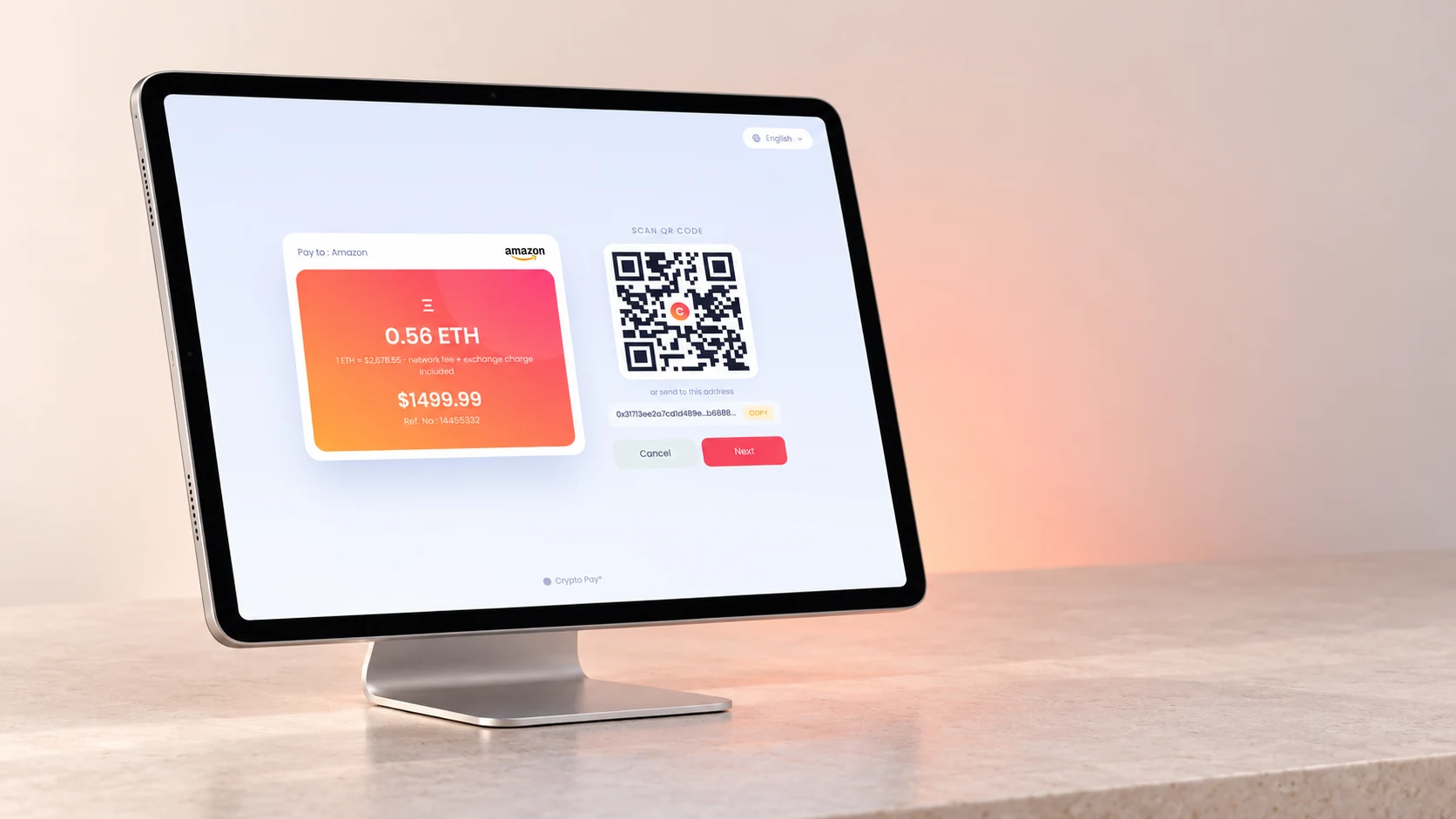
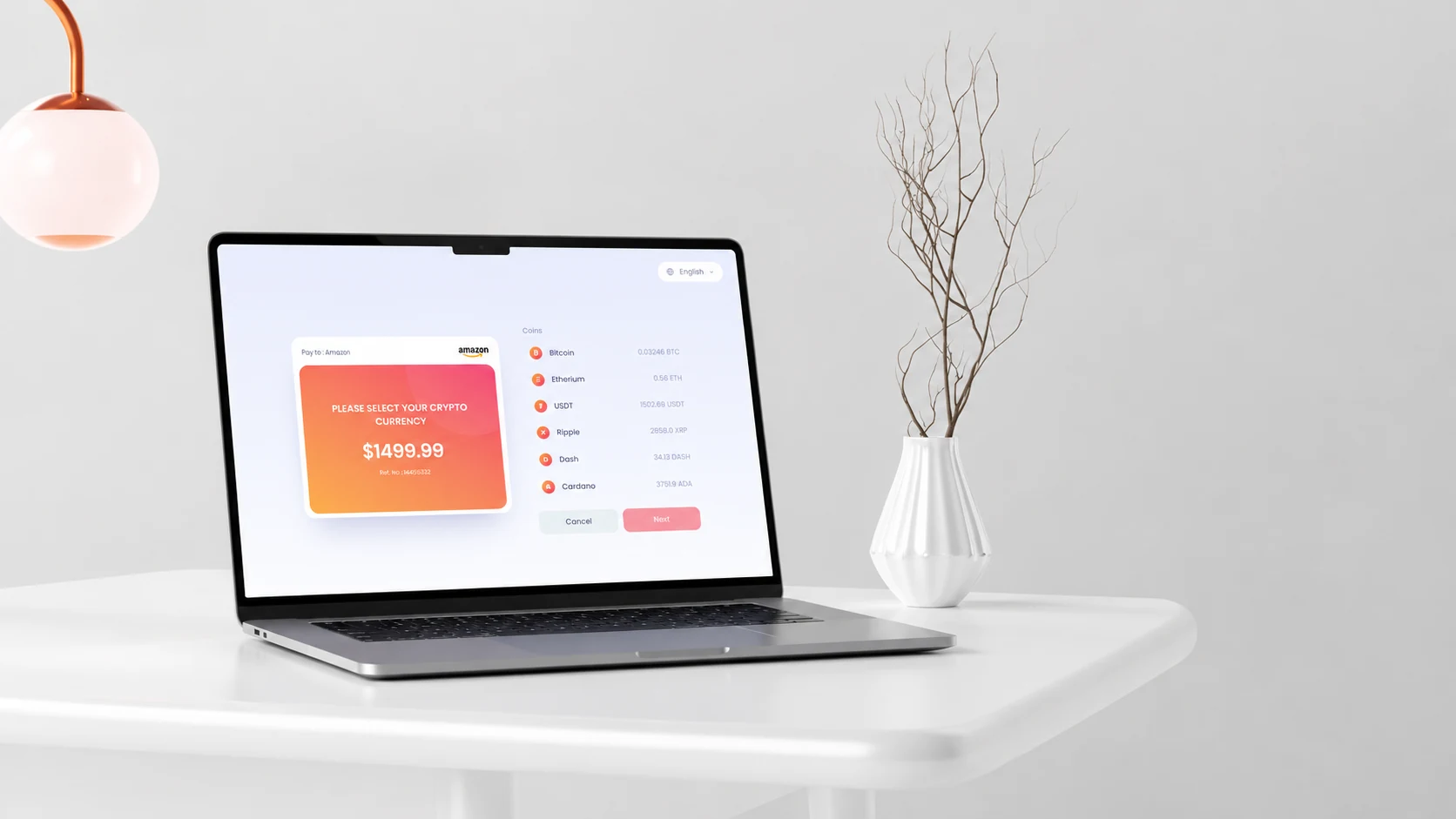
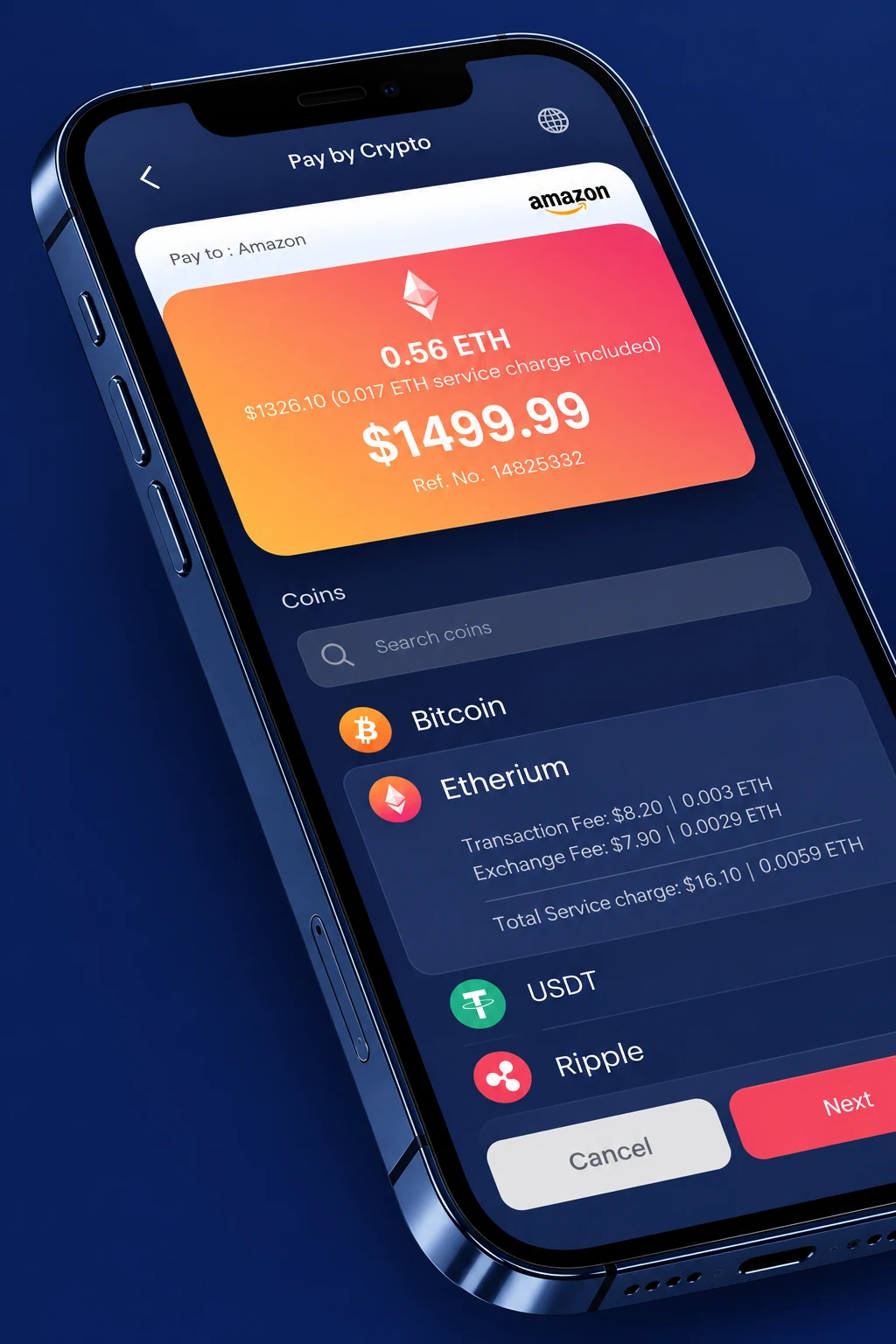
The bill’s fiat amount anchors the journey. Within the merchant’s enabled payment options, the customer selects a supported cryptocurrency and reviews the transaction and exchange charges before continuing. The interface connects a familiar purchase amount to the crypto payment being requested.
A QR code and copyable address provide a route from the checkout to a wallet. Waiting, success and expired-link states explain what the customer should do next. Payment confirmation is distinct from the merchant’s later fiat settlement; the two should not be collapsed into a single “done” state.
The supplied prototype also explores a mobile wallet handoff, simulated fingerprint confirmation, English and Persian, and light and dark appearances. Those interactions demonstrate the design; they do not establish a particular custody model or a live wallet integration.
Choose a currency → Next → follow the QR payment flow. Amounts, addresses and confirmations are demonstration data.
04 · Point of sale
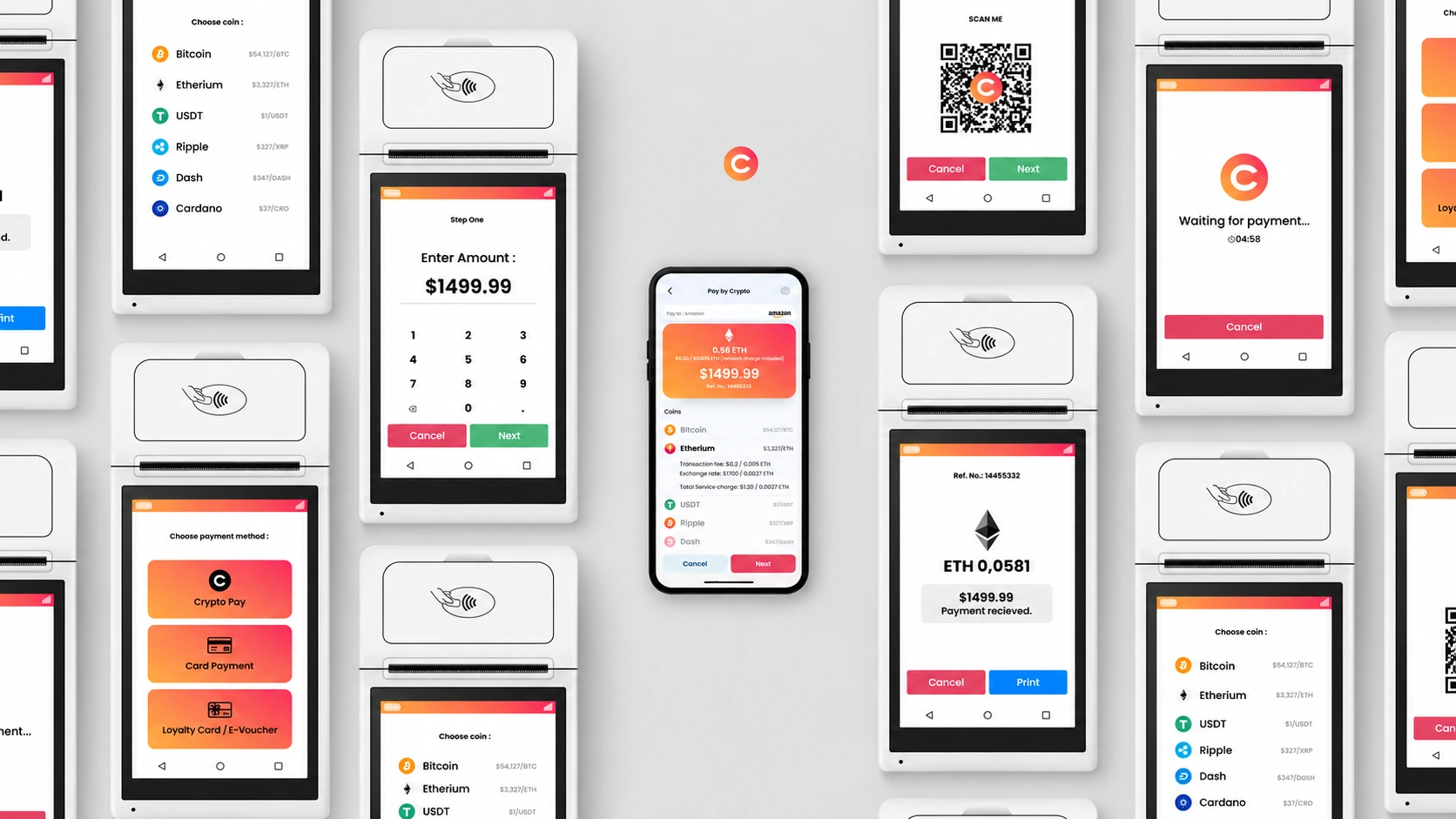
The POS concept brings the payment request to a physical counter. A merchant initiates the purchase, a QR code appears on the terminal and the customer uses a compatible wallet or mobile payment experience to review and authorize the crypto transfer.
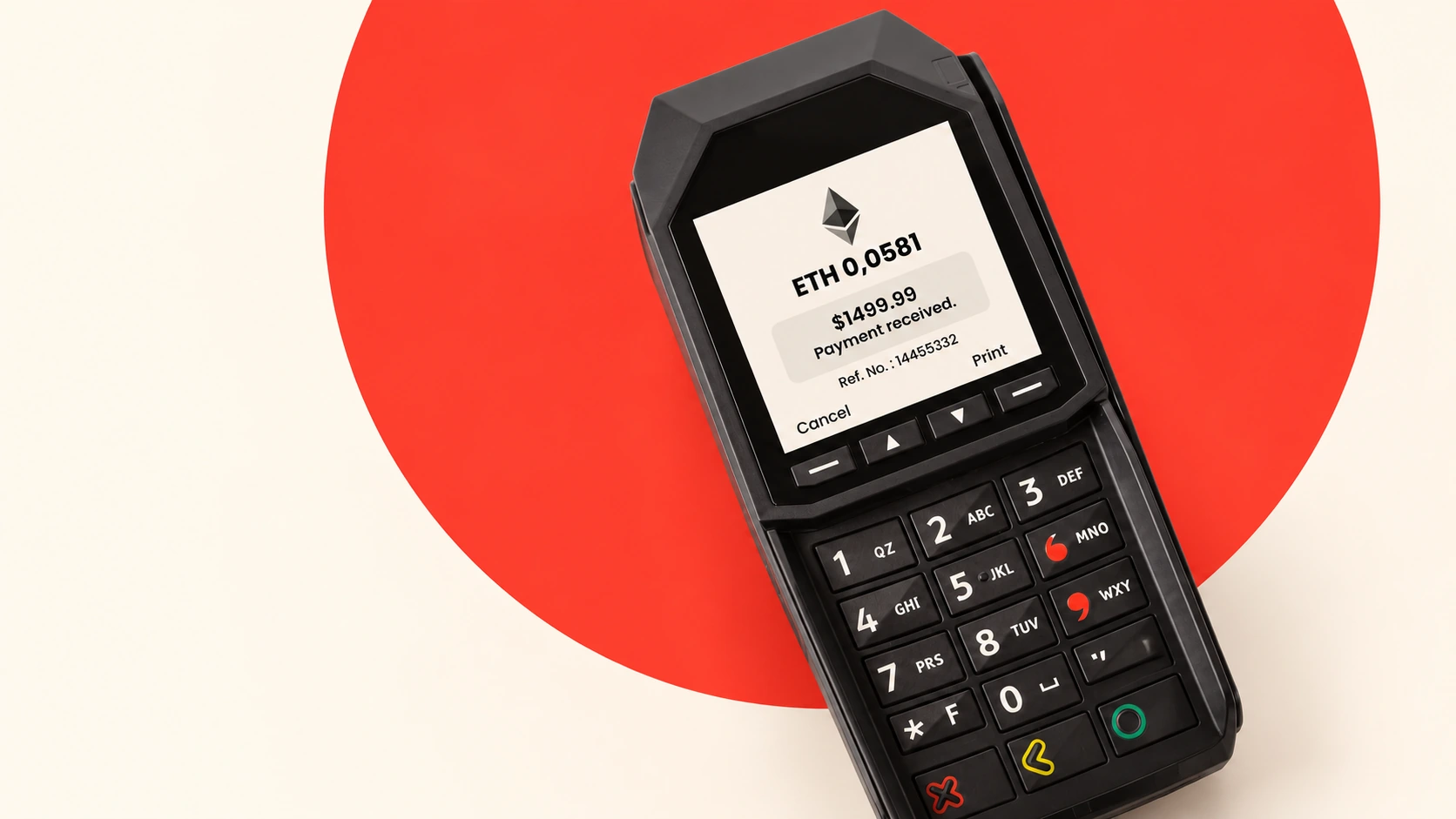
The terminal communicates the requested amount, waiting state and payment confirmation. Confirmation at the counter should remain distinguishable from settlement to the merchant. The supplied hardware concepts and product visualizations present this physical checkout journey alongside the original browser prototypes.

05 · Merchant portal
The merchant issues a bill in the configured base fiat currency, adds a reference to connect it to internal records, and describes what the customer is being charged for. The payment link can be delivered by email or SMS. Its configured expiry gives the request a clear validity window; an expired request needs a new bill if payment is still required.
The workspace separates Bill Report from Transaction History. A bill describes the payment requested; a transaction records a transfer received. The original guide accounts for transfers received after expiry or cancellation, and for duplicate payments. The gateway cannot prevent a customer from sending a wallet transfer, so the interface needs to expose these exceptions for review and reconciliation.
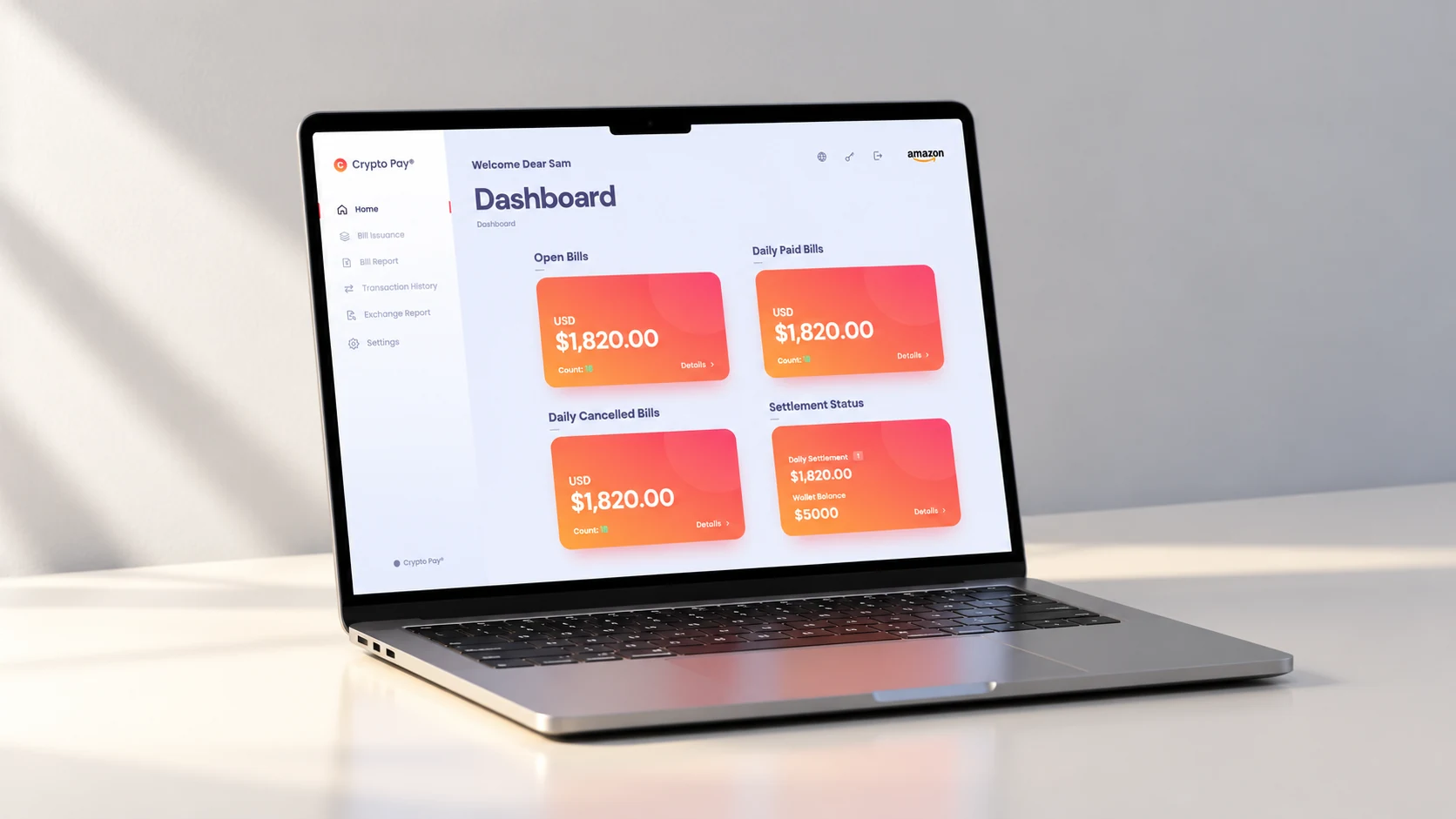
Bill details connect the request with payment records, source wallet information and charges. Exchange reports expose costs, fees and commissions, while settlement information helps the merchant distinguish received payments from amounts still awaiting settlement. The documented settings let merchants choose their base fiat currency and enabled cryptocurrencies.
Dynamic report filters can be combined to narrow a search, with active criteria applied together using AND logic. Counts, totals and detailed records help merchants move from a daily overview to the individual payment that needs attention.
Demo sign-in: enter any non-empty username and password, then any four digits. No account or real payment is created.
06 · Back office
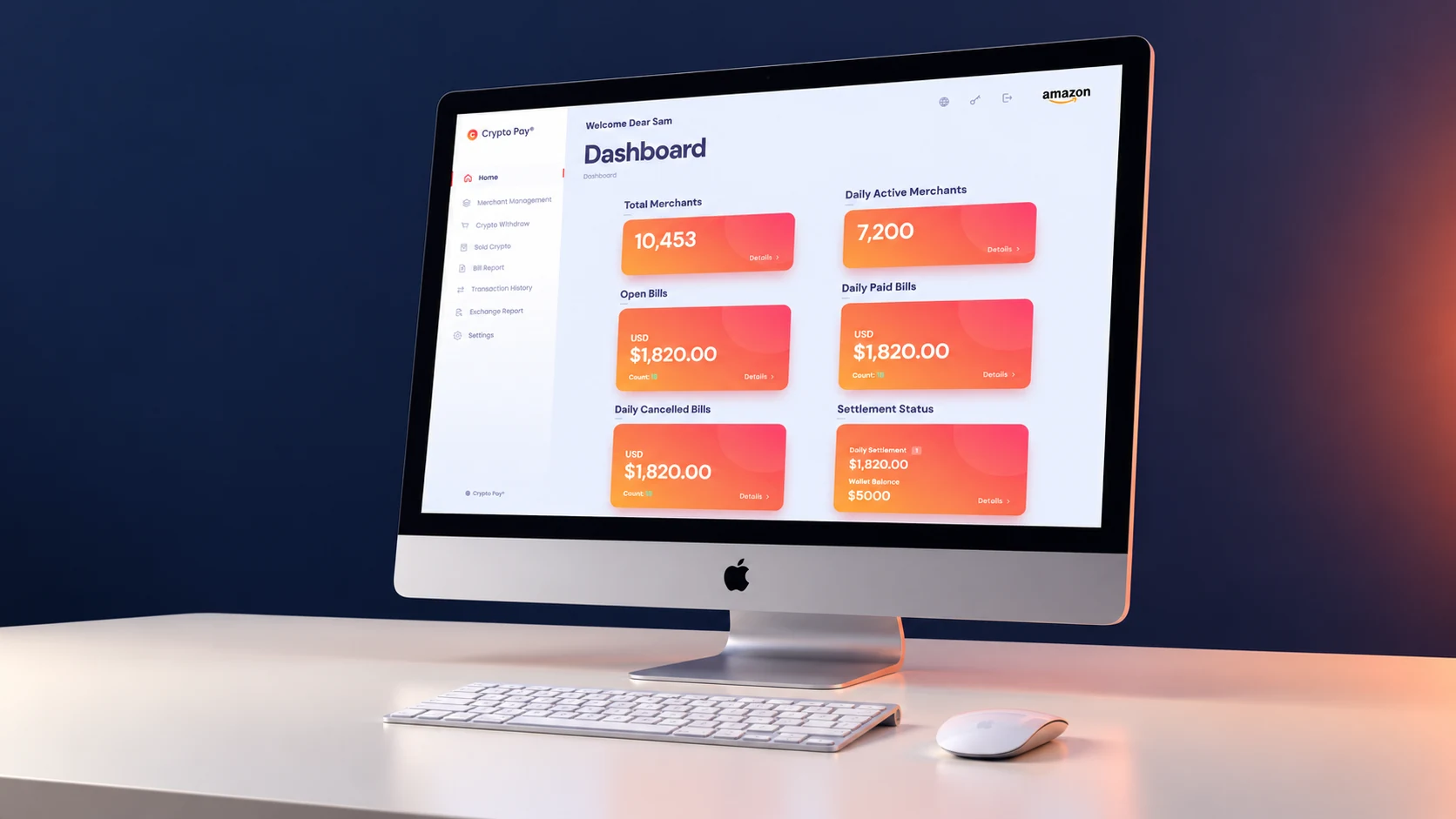
The back office extends the product to the team behind the service. Merchant management, withdrawal journeys, sold-crypto records, bill reports and exchange history sit within a consistent navigation model.
The central information challenge is to keep payment receipt, confirmation, conversion and merchant settlement distinguishable. A confirmed crypto payment does not, by itself, mean the merchant’s fiat settlement is complete. Records and statuses need to preserve that distinction when teams investigate a payment or explain its progress.
High-consequence actions are staged: enter the information, review the details, then confirm. The supplied prototype demonstrates these steps with sample records and simulated verification; the presentation does not verify live processing, settlement timing or movement of funds.
Explore Merchant Management, Bill Report or Crypto Withdraw using the supplied sample records.
07 · The interface language
Pale surfaces and quiet navy typography give dense financial information room to breathe. The orange-to-coral gradient makes the amount or summary card easy to locate, while a consistent family of coin symbols helps the user distinguish payment options.
Rather than making every surface equally expressive, the system concentrates color around the transaction. Shared cards, lists, forms and status patterns connect a simple checkout with a much richer administrative workspace.

08 · Beyond the screen
The new visualizations keep the interface at the center: an iPad at checkout, a MacBook for the merchant and an iMac for operations. Quiet surfaces and restrained lighting carry the navy, orange and coral palette into a minimal physical setting.
These are art-directed product mockups, not documentary photographs of a deployed service. The laptop, tablet and desktop scenes use Apple hardware; the POS scenes expand the supplied terminal concepts. The original films and prototype interfaces remain as supplied.
09 · What this work demonstrates
The work connects a focused customer payment journey with merchant accounting and operational oversight. Its design challenge is to make a crypto-to-fiat payment model understandable while keeping the bill, the transfer, exchange charges and settlement connected but distinct.
The original films and interactive HTML prototypes are presented here unchanged. The product model described here follows the supplied merchant guide and design materials. Validation should examine currency and fee comprehension, bill creation, late or duplicate payment handling, payment-status interpretation and withdrawal review. No processing-speed, adoption or conversion improvements are claimed.
Can a first-time payer explain the total, the selected currency and the next step?
Can an owner issue a bill, investigate an unexpected transfer and distinguish payment confirmation from settlement?
Can an operator review a merchant or withdrawal and identify what needs attention?
Product design & art direction · Alireza Jelodar
Original interface and films · C Pay / Crypto Pay
New minimal device visualizations · AI-assisted art direction